
When working on a terminal with manufacturing execution AX 2012 can offer up documents to the users that are attached either to the item or to the production order.
This is done by adding records in the Document Groups (Production Control > Setup > Document Groups).
Simply add a new record, select the documents and add the users who will view the different documents.
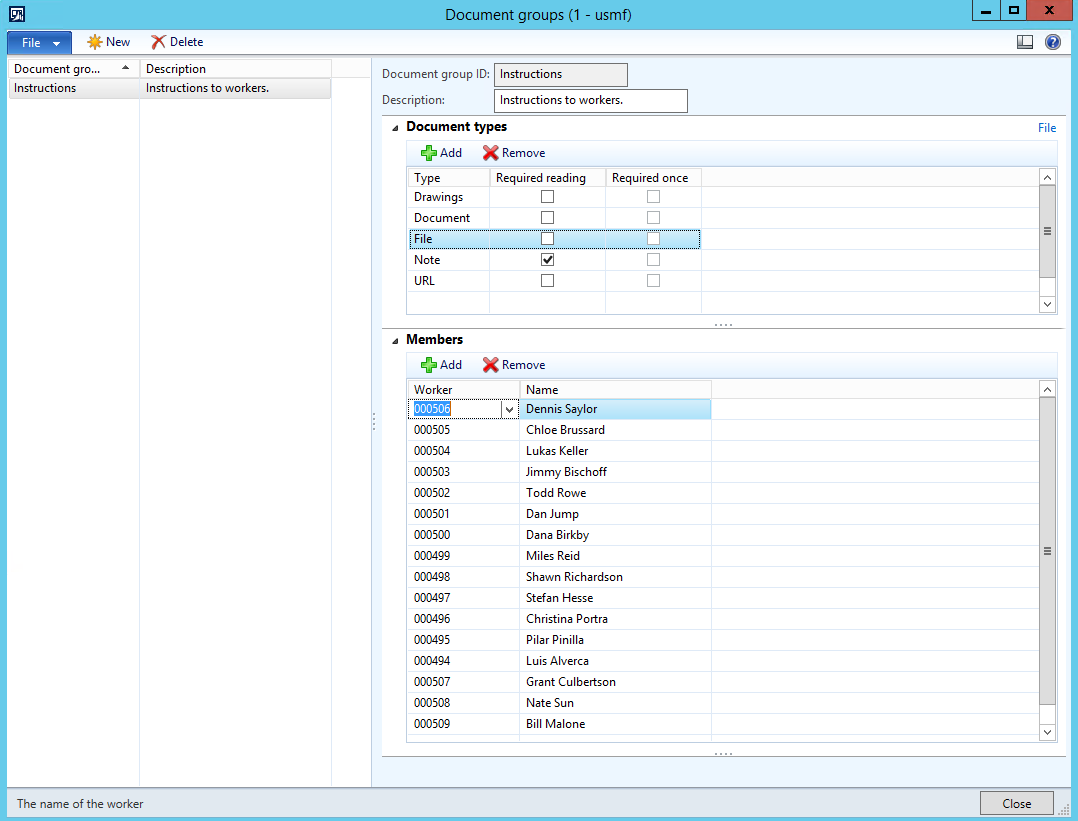
You might want to create different Document groups for different individuals.
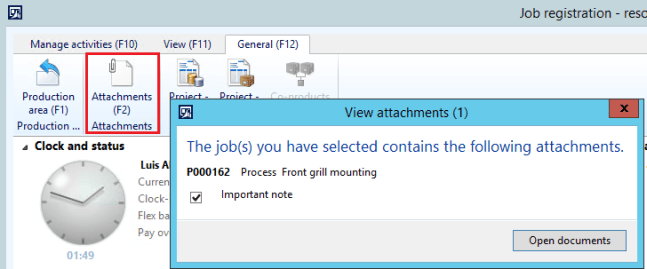
Selecting “Reading required” in the document types section will prompt the user with a dialogue when starting the production.

The user can also manually open the attachments by clicking the attachments icon.
This is a great feature and not very well documented one. Hope it helps you out. 🙂
 dyntips.com by Fredrik Sætre